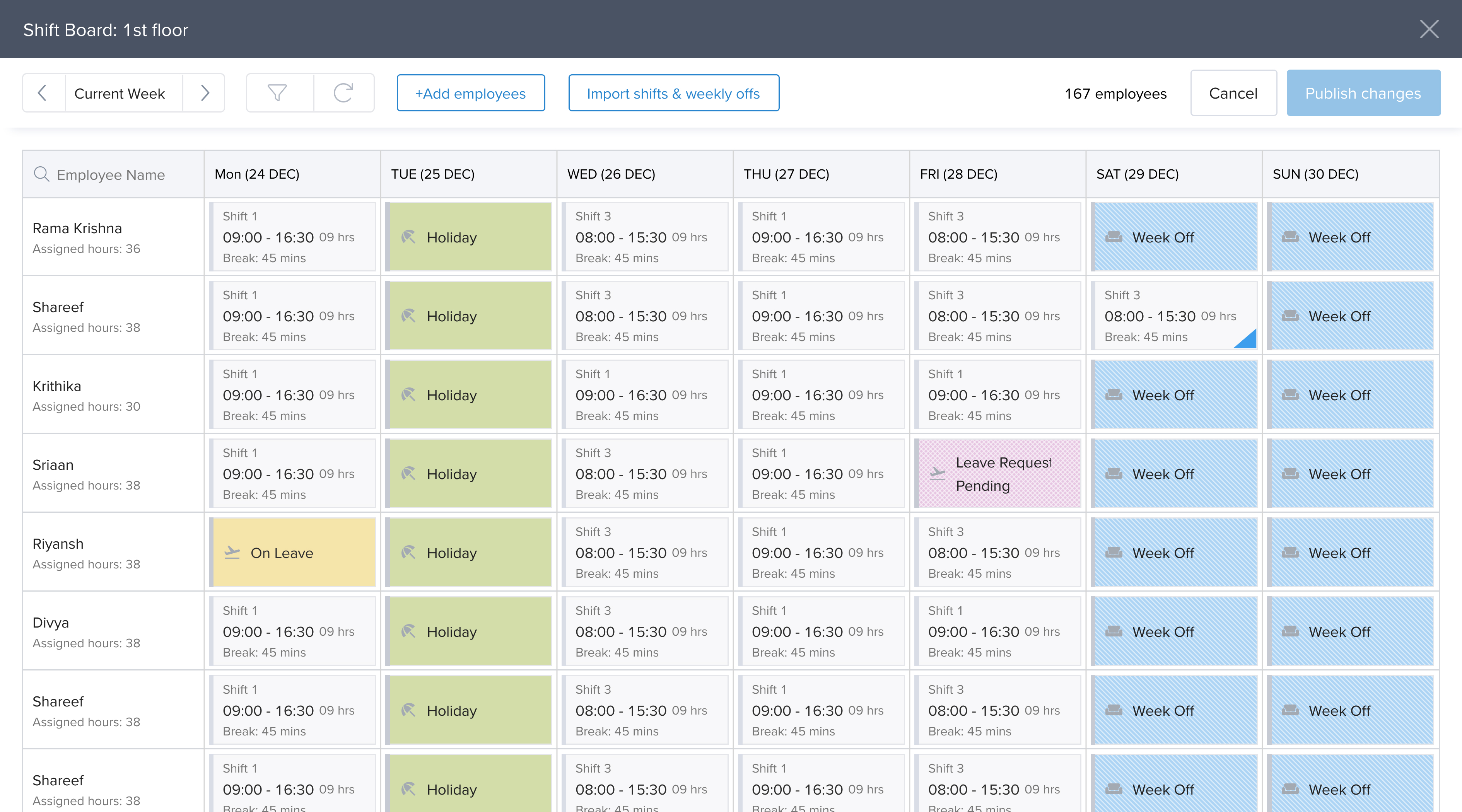
Current shift board · week view
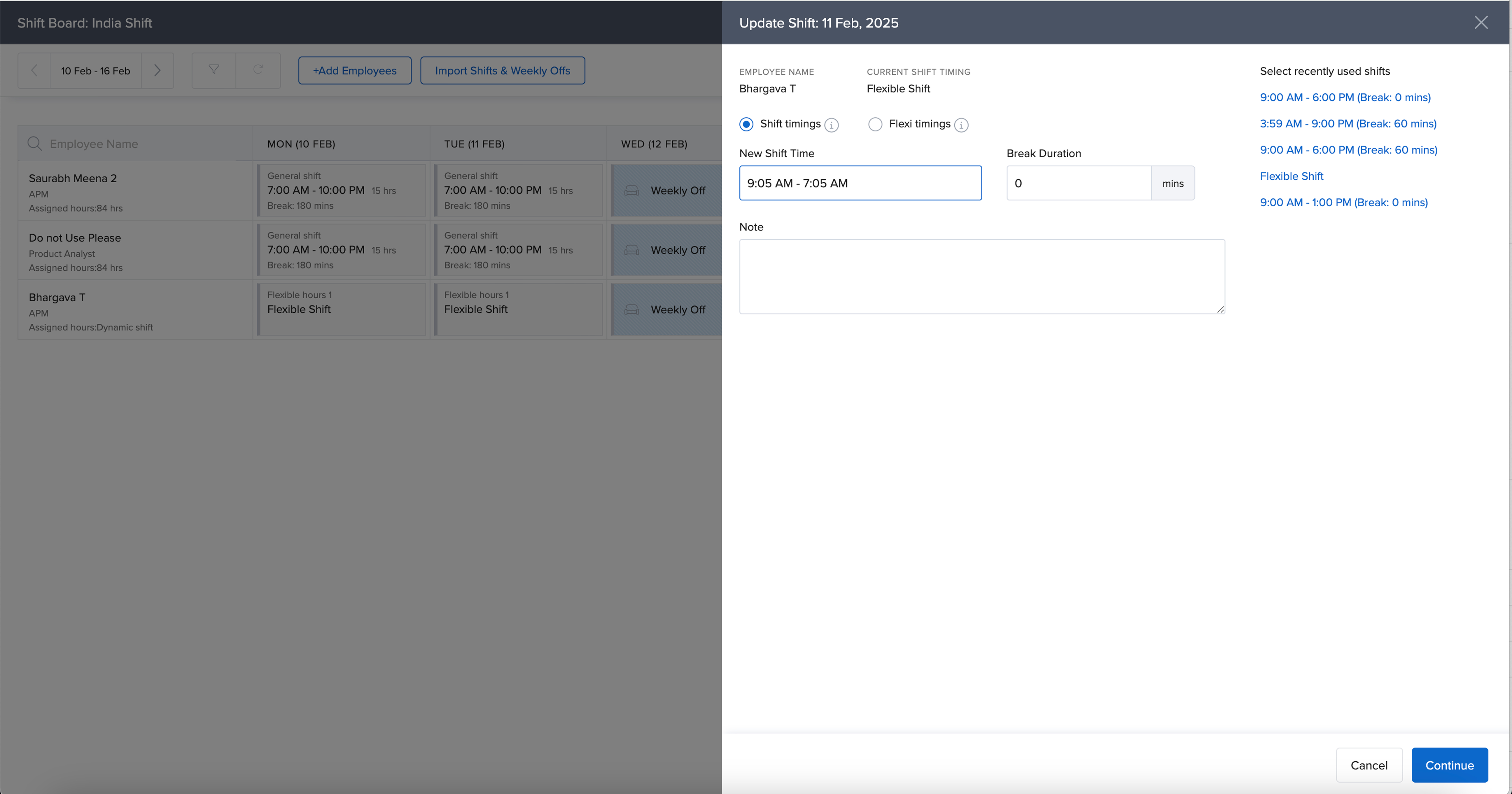
Current update-shift drawer
A redesign of Keka's shift board to support multi-shift scheduling at scale — built for hospitals, restaurants, and other workforces where employees rotate across multiple shifts and jobs every week.
Companies whose employees work in multiple shifts rely on shift scheduling software. These tools provide a shift board, the surface where managers plan weekly or monthly schedules.
Keka is an HRMS that includes a shift scheduling solution. But its current shift board only allows a single shift assignment per employee. HRs create shifts in a central repository and assign one to each employee at onboarding; the shift board is auto-generated, and HRs can only change the shift timing of an employee for a fixed period.
This works for office employees on a single shift. It does not work for hospitals, restaurants, retail businesses and other industries where the same employee may work across multiple shifts and jobs in a single week.
Keka's shift board was built for the single-shift case. It lacks the flexibility required to support operations at scale, particularly in the US market, where customer expectations and compliance demands are higher. This project set out to make the shift board capable of adding and managing multiple shifts per employee.
The lack of multi-shift management is a blocker to winning and retaining customers in US markets, especially in sectors like healthcare, hospitality and retail, where employees work across dynamic shifts and jobs.
To compete, the product had to match the table stakes set by US-first scheduling tools.
I looked at the scheduling tools customers were comparing us against. They split into two camps:
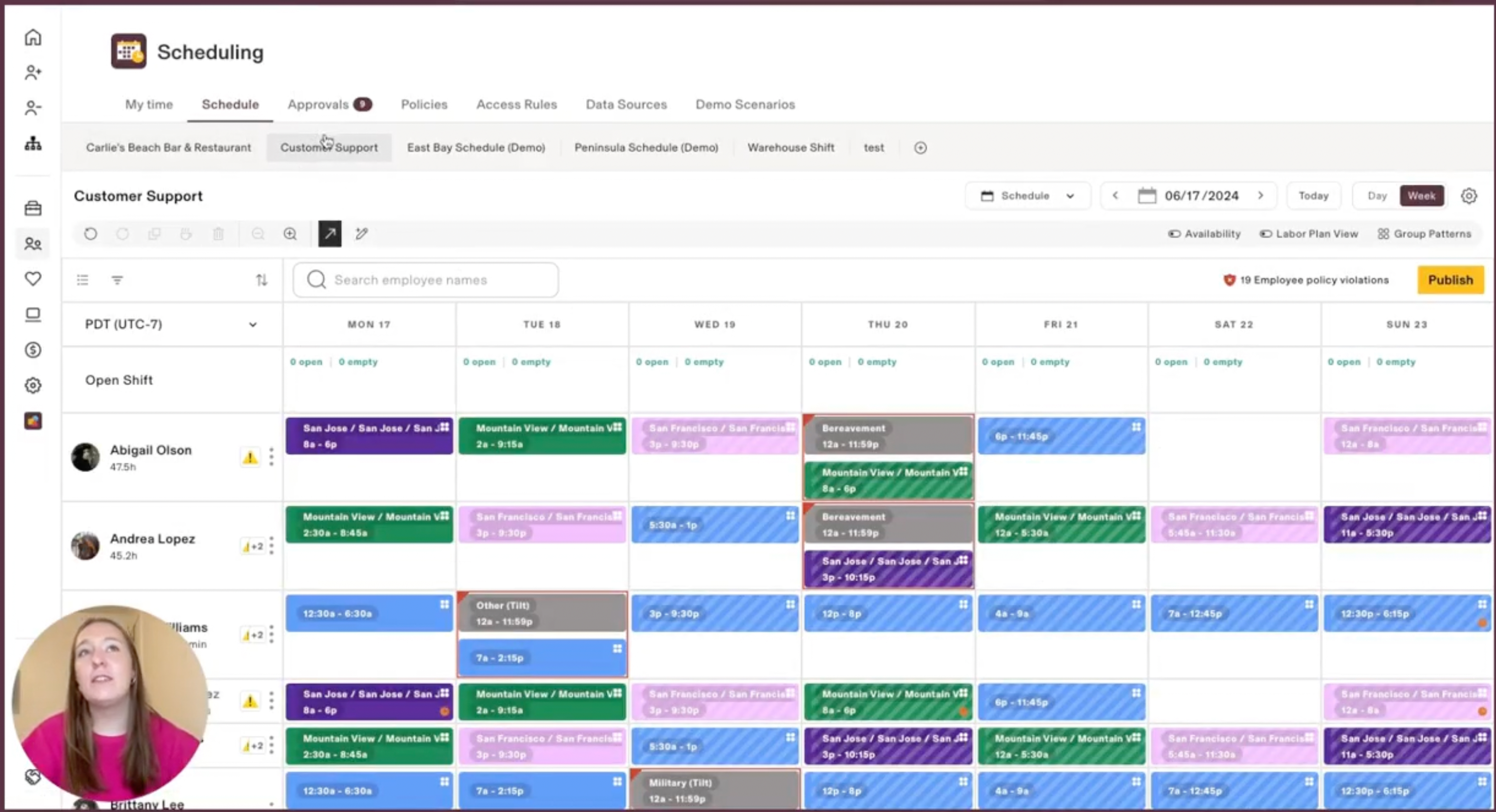
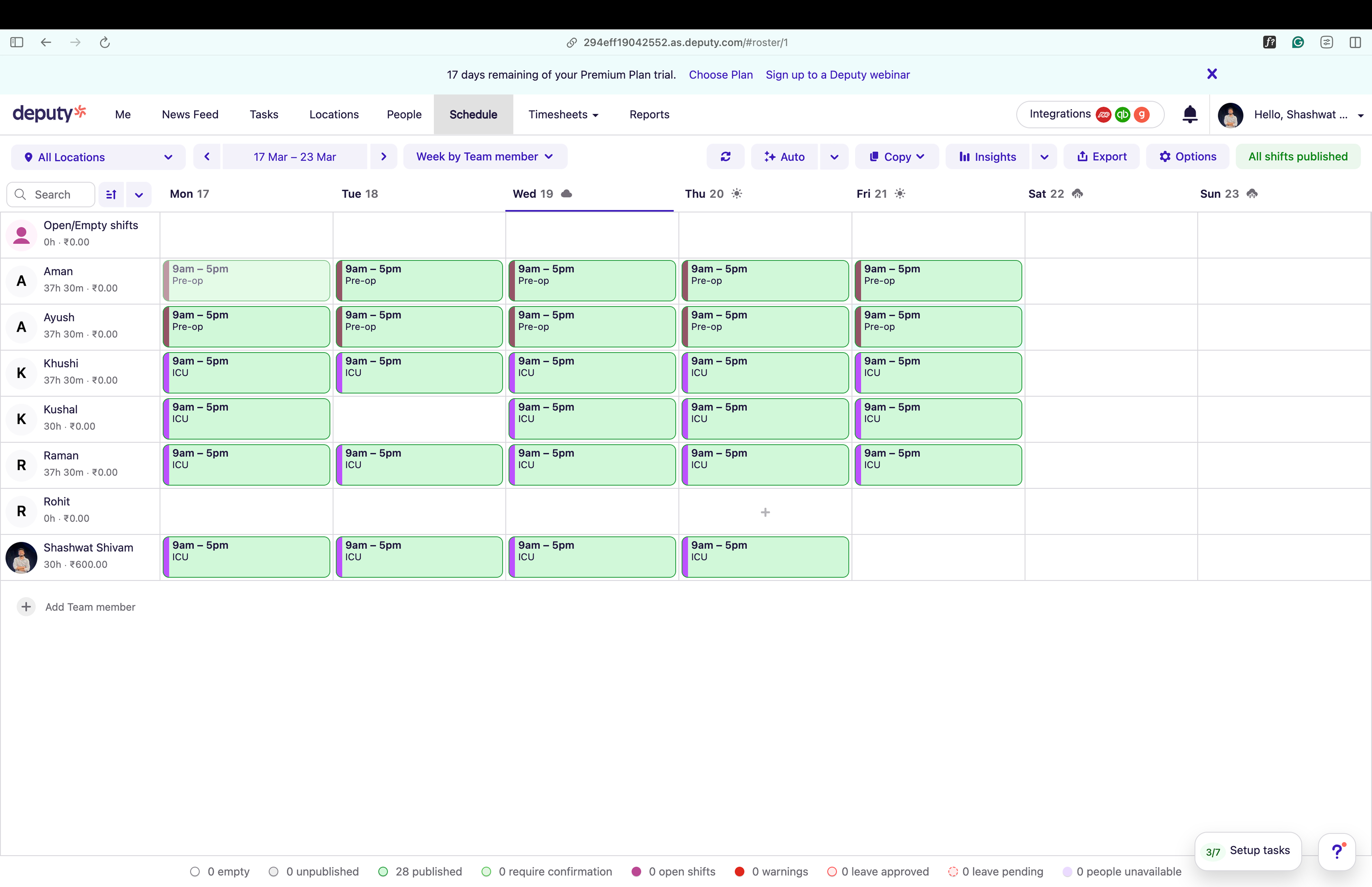
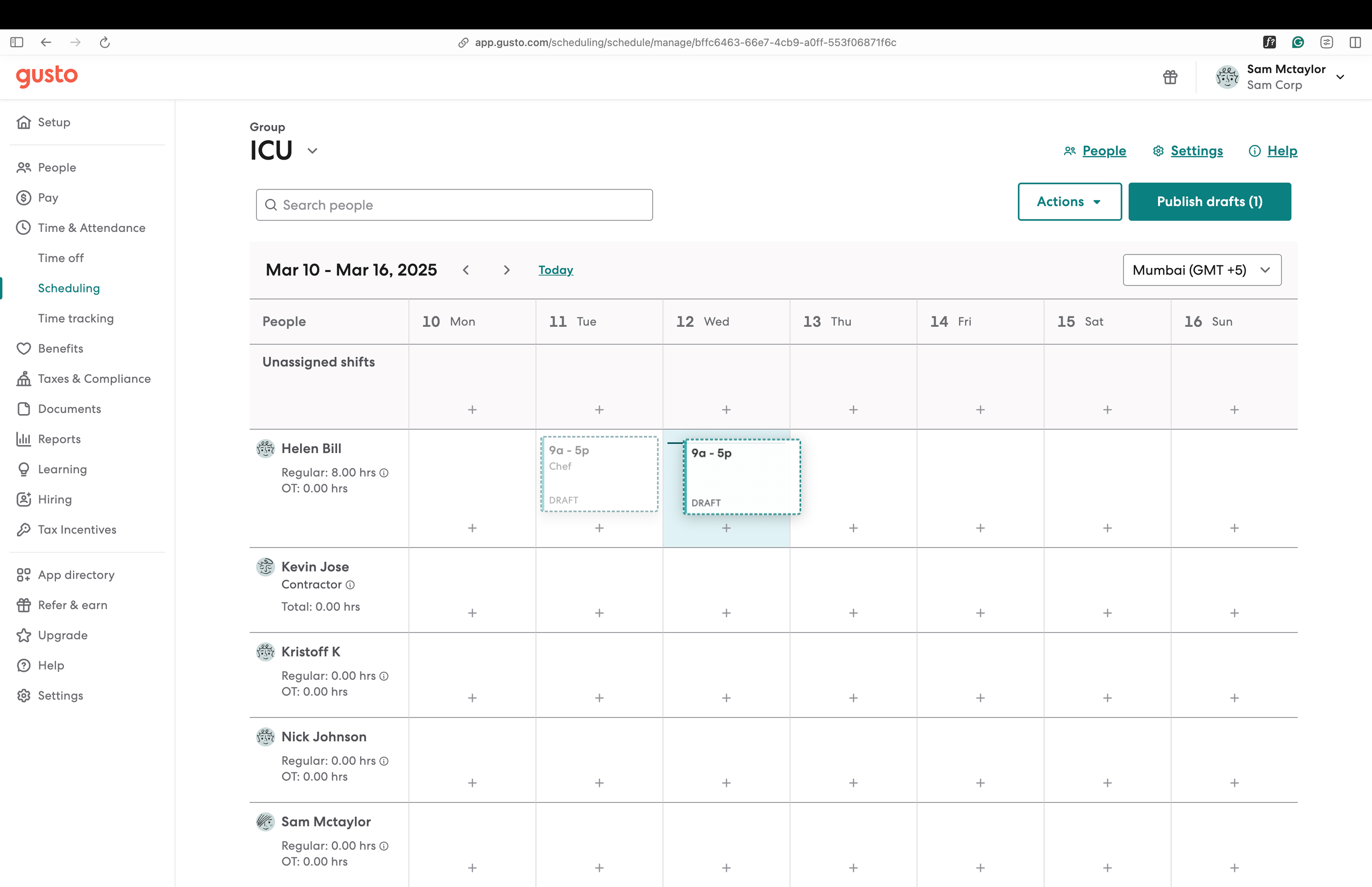
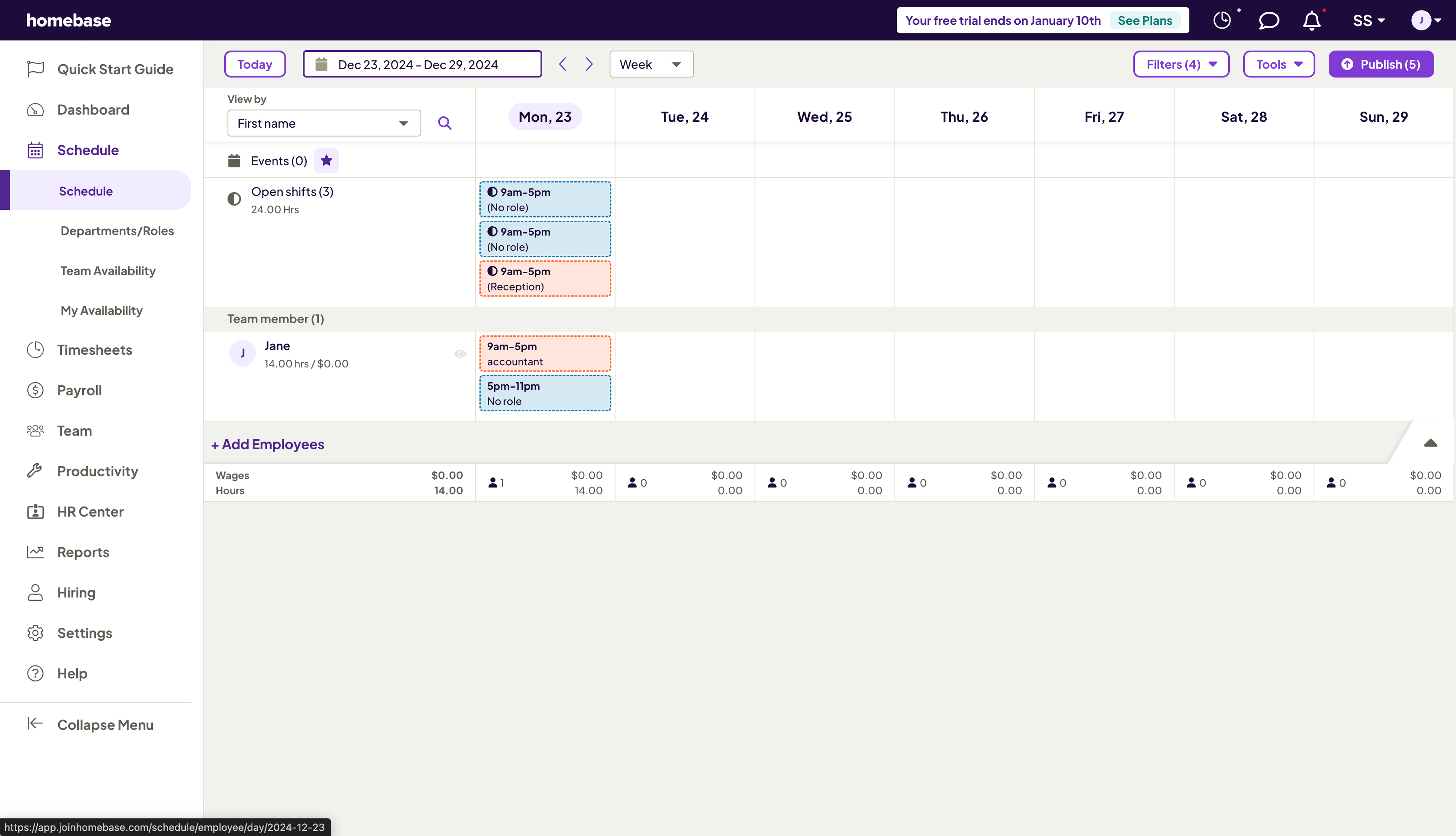
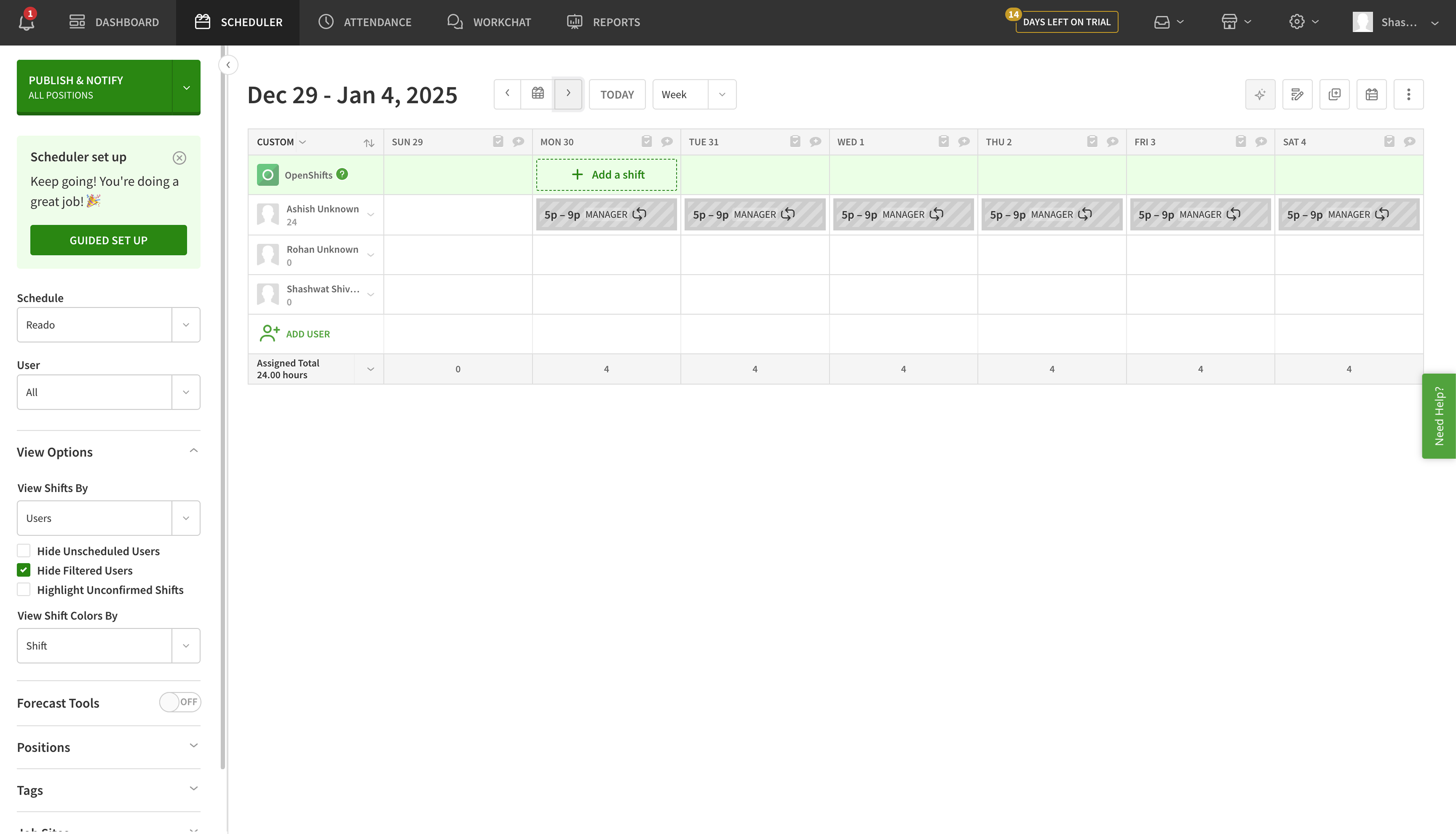
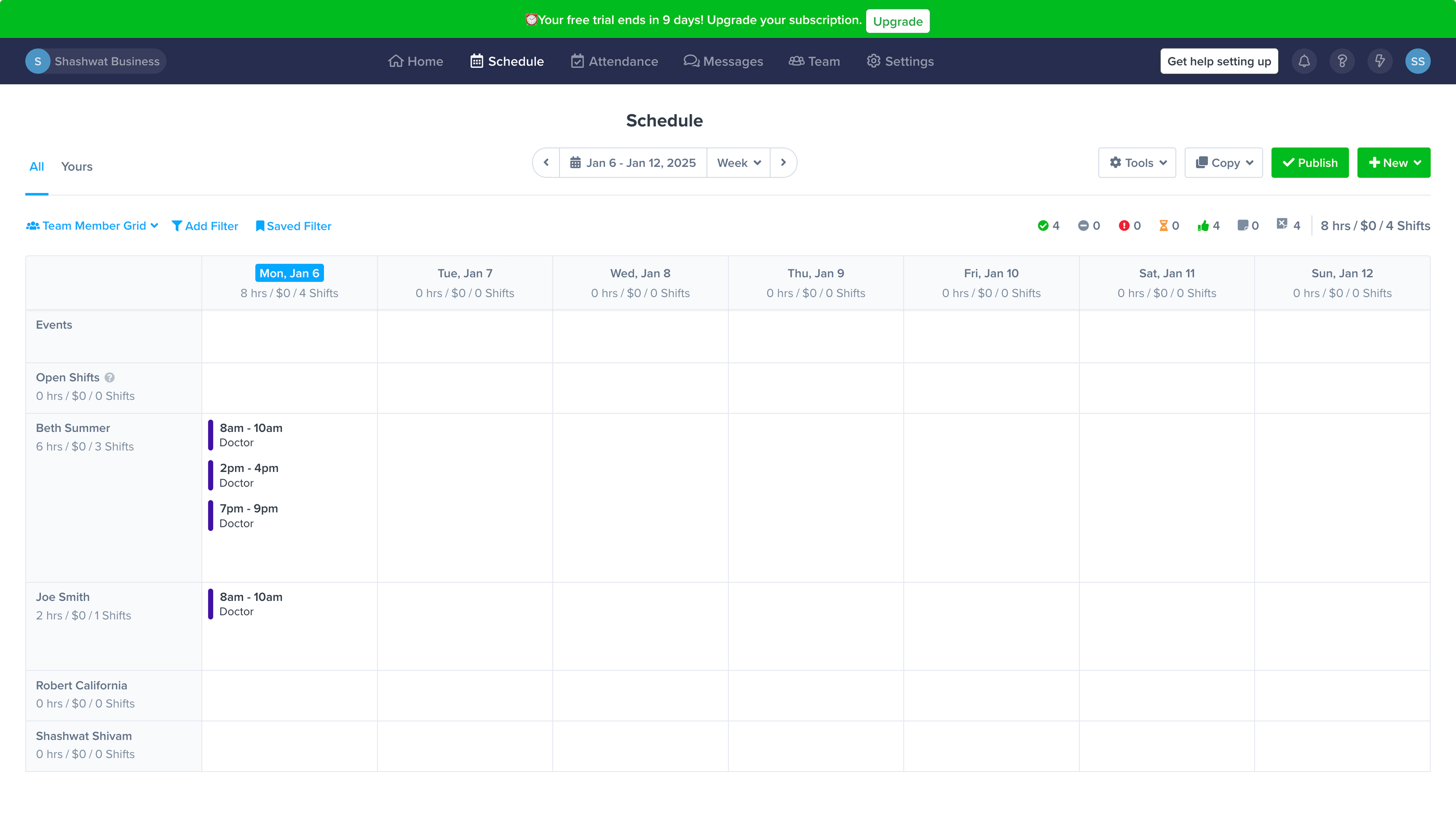
After mapping what the market offered, we wanted to understand how users actually use these tools and what they're trying to achieve. We interviewed both current and prospective Keka customers and here's what we found:
Based on what we'd learned, we agreed to break the work into phases and scope this case study to the first one.
We ran whiteboarding sessions to map user journeys for everyone involved in the schedule. We landed on four roles:
The detailed journey for each role lives in a FigJam board here ↗.
For the zero state, we added a video guide so users can quickly learn how the shift board fits into their workflow. Shift board creation is split into two parts: creation and employee addition. Research showed these are often done by different people. Unit HRs typically set up the board and assign permissions, while shift board managers add the employees they're responsible for and manage their schedules from there.
Every company defines its shifts in Keka and assigns one to each employee at onboarding. But in companies where employees rotate across multiple shifts, that one-time assignment doesn't hold. The schedule is rebuilt every week or month.
To add a shift for any employee, the shift board manager can pick from the existing shifts in the system or create a new one that is local to this shift board only, so the central repository doesn't get crowded with one-off entries.
The day view gives shift board managers a zoomed-in look at the schedule, so unstaffed slots stand out. They can add a shift by clicking directly on a time slot for any employee, or by clicking and dragging across a range to define start and end times.
A shift board manager can be responsible for 50 to 100 employees. Bulk assignment lets them schedule shifts for many people at once by picking the days, the shift, and the employees, and applying the change in one step.
Employees on the shift board are paid by the hour, by job and by shift. The manager's job is to plan in a way that no work hour is empty, which sometimes means assigning shift timings that aren't defined in the central system. But because there can be multiple shift board managers in a company, organisations don't want every manager creating shifts in the central repository, as it would crowd the system and create confusion.
Custom shifts also tend to be reusable, for other employees or other days. So we built schedule patterns: a pattern is defined for a week and saved locally to the shift board. Managers can reuse it to plan faster.
Schedule patterns can also be assigned to multiple employees in bulk, applying a "morning crew" pattern across a whole team in one step.
Copy and paste is a small feature but a big one for daily speed. Managers can grab a day, a row, or a selection and stamp it elsewhere, making weekly planning go from a chore to a few clicks.
One of the most common tasks when managing 50 to 100 employees is editing shift timings, job codes and break durations. Bulk editing lets shift board managers do it in seconds: pick the cells, change the field, apply.
Once changes are made, the user has to publish to make them effective for employees. The publish step gives shift board managers a chance to review everything in one place before it goes live, avoiding costly errors since these changes flow into payroll downstream.
The new shift board released in beta with the core flows above. A few features (open shifts, swap requests, and full labour-law compliance checks) were intentionally held back for later phases so we could ship and learn faster.
2 of 12 pilot customers stopped using their Excel backup within the first two weeks — the clearest adoption signal from the beta. One shift board manager at a 400-person hospitality chain put it plainly: "I used to dread Sundays. Now I just open Keka, make a few tweaks, and it's done." The roster had stopped being a spreadsheet problem.